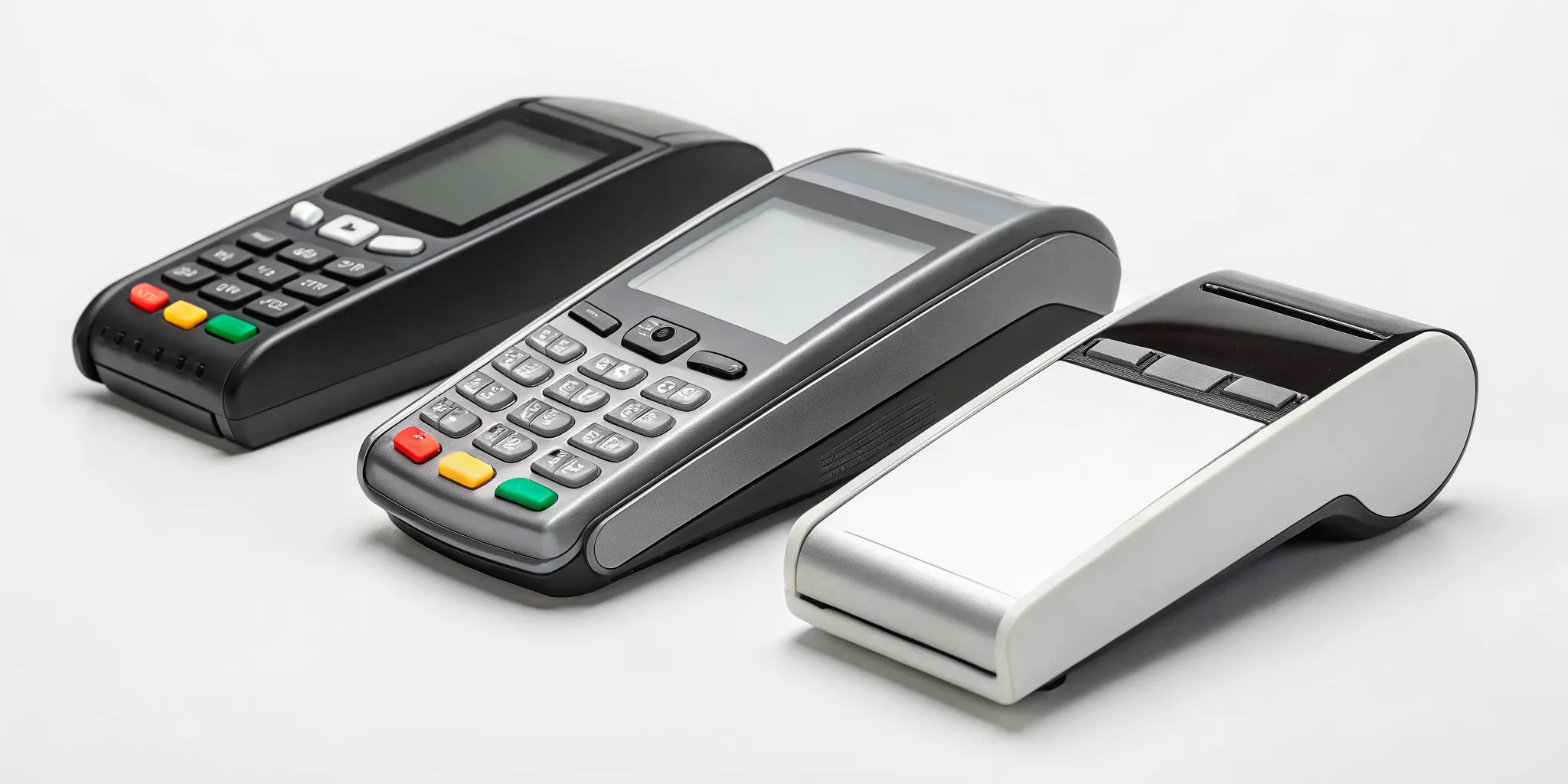
The final moment of any sale, the payment itself, leaves a lasting impression on your customer. A clunky, slow, or confusing checkout process can sour an otherwise great experience. This is why selecting the best wireless credit card reader is about more than just processing a transaction; it’s about showing your customers that you value their time and their security. A modern, efficient reader that accepts tap-to-pay, chip cards, and mobile wallets makes the process feel seamless and professional. It builds trust and shows that you’re a business that’s easy to buy from, which is a powerful way to encourage repeat customers.
Key Takeaways
- Look beyond the hardware price: The true cost of a reader includes the device, transaction fees, and any monthly software charges, so it’s important to understand the complete fee structure before making a decision.
- Ensure it works with your current setup: Your new reader must integrate smoothly with your point-of-sale (POS) system and accounting software to prevent manual data entry and keep your business records accurate.
- Prioritize a seamless checkout experience: The best reader for your business accepts all the ways your customers want to pay (including tap-to-pay), has a reliable battery, and is durable enough for your specific work environment.
What Makes a Wireless Card Reader the Right One?
Picking a wireless card reader feels like it should be simple, but the options can be overwhelming. The truth is, the best reader isn’t a one-size-fits-all device. The right one for your coffee truck will be different from the one a craft fair vendor needs. It all comes down to finding the perfect match for how you do business, focusing on a few key areas.
First, think about how your customers want to pay. People expect to be able to swipe, insert a chip card, or use tap-to-pay with their phone or watch. A reader that handles all these modern payment types makes checkout smooth and keeps your lines moving. The last thing you want is to turn away a sale because your hardware feels outdated.
Next, consider your current setup. Does the reader work with the smartphone or tablet you already own? Some are designed for iOS, while others play nicely with Android. More importantly, if you already use a point-of-sale (POS) system, you’ll want a reader that integrates seamlessly. Sticking with a reader from your current POS provider is often the easiest path, saving you the headache of juggling incompatible systems.
Finally, let’s talk about speed and cost. A fast, reliable connection means you can process transactions quickly, which is crucial for a great customer experience. But speed isn’t the only factor. You need to look at the total cost, not just the price of the reader itself. This includes the transaction fees you’ll pay on every sale and any potential monthly software fees. Understanding the full cost structure ensures there are no surprises on your monthly statement.
6 Best Wireless Card Readers for Small Businesses
Choosing the right wireless reader can feel overwhelming with so many options on the market. Each one comes with its own fee structure, features, and ideal use case. To make it easier, I’ve broken down six popular choices for small businesses. We’ll look at what makes each one stand out, from their pricing to their unique features, so you can find the perfect fit for how you operate.
MBNCard Mobile Payment Solutions
As a dedicated payment solutions provider, we focus on creating a setup that works specifically for your business needs. Our mobile solutions integrate seamlessly with our other services, like our popular dual pricing program, which can help you eliminate your processing fees entirely. Instead of a one-size-fits-all device, we partner with you to find the right hardware and software combination. This approach means you get a reliable, affordable system backed by personalized support from a team that knows your business. We prioritize secure transactions, fast funding, and transparent pricing, so you always know what to expect.
Square Reader for Magstripe & Chip
Square is a familiar name for many small businesses, and for good reason. They make getting started incredibly simple. Your first Square Reader for Magstripe is often free, with additional units costing just $10. The reader is compact, works with most Apple and Android devices, and connects via USB-C, Lightning, or a headset jack. Square’s processing fee is a straightforward 2.6% plus 15 cents for every swiped, dipped, or tapped transaction. A huge plus is its offline mode, which lets you continue accepting card payments even when your internet connection is spotty. The transactions simply process once you’re back online.
PayPal Zettle Card Reader
If you already use PayPal for your business, the Zettle reader is a natural fit. It expands your payment options by letting you accept in-person credit card payments alongside PayPal and Venmo QR codes. One of its biggest draws is the flexible pricing structure. There are no long-term contracts or monthly fees, making it a low-risk option for businesses with fluctuating sales. According to NerdWallet, it offers very low fees for in-person payments and provides daily phone support, which is great for getting help when you need it.
Clover Go Mobile Reader
The Clover Go is a versatile and portable reader that connects to your smartphone or tablet via Bluetooth. It’s a great option for businesses that need a robust system on the go, like food trucks, market vendors, or service providers. With its basic plan, you can avoid monthly fees, which is ideal for keeping overhead low. Like other top contenders, the Clover Go has an offline mode, ensuring you never miss a sale due to a weak Wi-Fi signal. Just be aware that some service agreements may require a contract, so it’s important to read the terms carefully before signing up.
Helcim Reader
Helcim stands out with a unique pricing model that can save you money. It automatically gives you a better rate when customers pay with cards that have lower interchange fees. This transparent approach to pricing is a refreshing change from flat-rate models. Helcim also provides free sales software and doesn’t lock you into long contracts or charge cancellation fees, giving you the freedom to adapt as your business grows. This flexibility, combined with potential savings on transaction fees, makes the Helcim reader a smart choice for cost-conscious business owners who want more control over their processing expenses.
SumUp Air Card Reader
The SumUp Air reader is designed for simplicity and affordability. It’s a great starting point for new businesses or anyone who processes card payments less frequently. There are no monthly subscription fees or long-term contracts; you simply pay a single, flat rate for every transaction you process. The device itself is sleek, compact, and connects easily to your smartphone or tablet. This straightforward, pay-as-you-go model makes it easy to predict your costs and is perfect for sellers at craft fairs, pop-up shops, or small cafes who need a reliable and uncomplicated way to accept card payments.
What to Look for in a Wireless Card Reader
Choosing a wireless card reader feels like a big decision, but it doesn’t have to be complicated. When you strip away the marketing jargon, you’ll find that the best device is simply the one that fits how you do business. Think about your daily operations. Are you swiping cards at a bustling farmers market, or are you processing payments from a quiet corner in your boutique? The right reader will feel like a natural extension of your workflow, not a clunky piece of tech you have to wrestle with.
To find your perfect match, we need to look at four key areas: the types of payments it can take, how it stays powered and connected, the security it offers, and how well it can handle your work environment. Getting clear on these points will help you sort through the options and pick a reader that not only works but helps your business run more smoothly. It’s all about finding a reliable tool that lets you get paid quickly and securely, so you can focus on what you do best.
Payment Acceptance
The first thing to check is how a reader accepts payments. Your customers will have different preferences, and you want to make it easy for everyone to pay. Look for a device that handles all modern payment types: traditional magnetic stripe swipes, EMV chip cards, and contactless tap-to-pay options like Apple Pay or Google Pay. The more ways you can accept money, the less likely you are to miss a sale. This flexibility shows your customers that you’re current and makes the checkout process faster for everyone involved.
Battery Life & Connectivity
For a business on the go, a dead card reader is a disaster. Pay close attention to battery life. Some readers can last a full day or more on a single charge, while others connect directly to your phone and don’t have a battery at all. Think about your sales environment. If you’re away from power outlets for long stretches, a long-lasting battery is essential. Also, check how the device connects to your phone or tablet, which is usually through Bluetooth. A stable, reliable connection is non-negotiable for processing payments without interruption.
Security and Compliance
Protecting your customers’ data is your responsibility, so security is paramount. A good reader encrypts card information the moment it’s captured, scrambling the data so it can’t be stolen. Your payment processor should also provide support with data security, payment disputes, and fraud prevention. Make sure any reader you consider is PCI compliant, which is the industry standard for protecting cardholder data. This isn’t just about following rules; it’s about building trust with the people who support your business.
Durability and Portability
Your card reader is a tool, and it needs to be tough enough for the job. Mobile credit card readers are designed to be small devices that connect to your smartphone or tablet, letting you take payments anywhere. But some are more rugged than others. If you work outdoors or in a fast-paced setting like a coffee shop, look for a sturdy device that can handle a few bumps. If you’re a consultant who visits clients, a sleek, lightweight design might be more important. The right reader should be portable enough to go where you go and durable enough to last.
The Real Cost of a Wireless Card Reader
When you’re shopping for a wireless card reader, it’s easy to focus on the price of the device itself. But that’s only one piece of the puzzle. The true cost of accepting payments on the go is a combination of the hardware, the fees you pay on every single transaction, and any monthly charges you might have. To make the best decision for your business, you need to look at the complete picture.
Think of it like buying a printer. The printer itself might be affordable, but the ongoing cost of ink is where the real expense lies. A wireless card reader works the same way. A “free” reader can end up costing you more in the long run if it’s tied to high processing fees. Let’s break down the four main costs you need to consider so you can find a solution that truly fits your budget and helps your business grow.
The Price of the Device
The upfront cost of a wireless credit card reader can range from free to several hundred dollars. Many payment processors offer a basic magstripe reader for free to get you started. More advanced models that accept chip cards and contactless payments (like Apple Pay) typically cost between $50 and $150. The most sophisticated all-in-one smart terminals can run even higher. The best-selling credit card readers often fall in this mid-range, offering a good balance of features and affordability for most small businesses.
Understanding Transaction Fees
This is where you need to pay close attention. Every time you process a payment, your provider takes a small cut. This is usually structured as a percentage of the sale plus a small fixed fee. For example, a common rate for in-person transactions is 2.6% + $0.10. While that might not sound like much, it adds up quickly. If you process $5,000 in sales, that fee structure would cost you $135. Different providers offer different rates, and some, like MBNCard, have programs like dual pricing that can help you eliminate these fees entirely.
Monthly Service Fees
On top of transaction fees, some providers charge a monthly fee for using their service. Many popular mobile readers offer plans with a $0 monthly fee, which is perfect if you’re just starting out or have inconsistent sales volume. However, if you need more advanced features like detailed analytics, inventory management, or customer relationship tools, you might need to upgrade to a paid plan. These can range from around $30 to over $150 per month, so be sure to check what’s included before you commit.
Watch Out for Hidden Fees
Unfortunately, not all costs are advertised upfront. Some processors have hidden fees that can catch you by surprise. Be on the lookout for things like PCI compliance fees, chargeback fees, statement fees, or early termination fees if you decide to switch providers. These unexpected expenses can be a major headache for small businesses. A trustworthy payment partner will be transparent about all potential costs, so don’t be afraid to ask for a complete fee schedule before signing anything.
How to Find the Best Value (It’s More Than Price)
When you’re choosing a wireless card reader, it’s tempting to just compare the numbers and pick the one with the lowest transaction fee. But the cheapest option on paper isn’t always the best deal for your business. True value comes from finding a payment partner that offers a fair price, stands by you when things go wrong, and gives you the flexibility to grow without being locked into a restrictive contract. Think of it this way: saving a fraction of a percent on fees doesn’t mean much if your reader stops working during a holiday rush and you can’t get anyone on the phone to help.
Finding the right fit means looking beyond the sticker price. You need to consider the total cost of ownership, which includes not just the fees but also the quality of customer support and the fairness of the contract terms. A provider that invests in reliable service and transparent agreements is investing in your success. As you compare your options, think about which company you want in your corner for the long haul. The right partner will make your life easier and support your business goals, and that’s a value you can’t put a price on. It’s about finding a balance between affordability, reliability, and flexibility that aligns with where your business is today and where you want it to be tomorrow.
Compare Processing Rates
The first thing most people look at is the processing rate, and for good reason. These fees directly impact your bottom line with every sale. But a single percentage doesn’t tell the whole story. You need to look at the complete fee structure, which often includes a percentage of the sale plus a small fixed fee per transaction. Dig deeper to uncover any monthly software fees, statement fees, or other recurring charges. A great way to compare is to calculate your effective rate by taking the total fees you’d pay in a month and dividing it by your total sales volume. This gives you a much clearer picture of the actual cost and helps you compare different pricing models accurately.
Evaluate Customer Support
Imagine it’s your busiest day of the year, and your card reader suddenly stops working. This is when the quality of your provider’s customer support truly matters. Before you commit, find out what kind of support is offered. Is it available 24/7, or only during standard business hours? Can you speak to a real person on the phone, or are you limited to email and chat support? A provider with accessible, responsive, and helpful support can be a lifesaver when you’re in a tight spot. Check online reviews and see what other business owners are saying about their customer service experiences. Reliable support is a critical part of the value you receive.
Understand Contract Terms
The contract is where the details live, and it’s essential to read it carefully. Some providers require long-term commitments that can lock you in for years, often with steep penalties for early termination. This can be a major problem if your business needs change or if you’re unhappy with the service. Look for providers that offer month-to-month agreements or pay-as-you-go plans. This flexibility allows you to make changes without being penalized. Before signing anything, make sure you fully understand the terms of your merchant agreement, including the contract length, cancellation policy, and any potential hidden fees. A transparent contract is a sign of a trustworthy partner.
Will It Work with Your Current Setup?
Choosing a new wireless card reader isn’t just about the device itself. It’s about how well it fits into the ecosystem you’ve already built for your business. The last thing you want is a shiny new gadget that causes headaches because it doesn’t communicate with your other essential tools. A great wireless reader should feel like a natural extension of your current operations, not a roadblock.
Before you commit, it’s crucial to think about compatibility. Your point-of-sale (POS) system and accounting software are the heart of your daily workflow. A new reader needs to connect seamlessly with both to save you time and prevent errors. Let’s walk through what you need to check to ensure a smooth integration.
POS System Compatibility
Your POS system is your command center for sales, so your wireless reader must be able to talk to it without any issues. When they aren’t compatible, you can run into frustrating problems like slow transactions or having to enter sales data manually, which defeats the purpose of an efficient wireless setup. Many businesses struggle with outdated systems that can’t keep up with modern payment methods.
Before buying a reader, confirm with the provider that it integrates directly with your specific POS software. A seamless POS integration means sales data flows automatically from the card reader to your sales dashboard, keeping your records accurate and your checkout lines moving quickly.
Accounting Software Integration
A wireless reader that works with your accounting software can save you hours of administrative work. When your sales data syncs automatically, you don’t have to spend time manually reconciling transactions or fixing data entry mistakes. This connection is usually handled through your POS system, which acts as the bridge between your card reader and your accounting platform, like QuickBooks or Xero.
A robust POS system allows you to manage sales, inventory, and customer data all in one place. When your reader feeds information into this system, it streamlines everything from daily bookkeeping to filing taxes. Make sure your chosen reader and POS combination can connect to the accounting software you rely on.
Solving Common Integration Problems
Even with the right planning, you might hit a few snags. Implementing new payment technology, especially contactless options, can sometimes present technical challenges or security questions. For example, you might run into connectivity issues if you’re processing payments on the go, or you may need help ensuring your setup meets all compliance standards.
The key is to partner with a payment provider that offers excellent customer support. When you have a question or run into an issue, you need a reliable team you can call for help. A good partner will guide you through any technical challenges and ensure your system is secure, compliant, and running smoothly so you can focus on your customers.
The Pros and Cons of Going Wireless
Deciding to switch to a wireless credit card reader is a big step. It can completely change how you handle sales, whether you’re ringing up customers at a farmers market or just want to free up your checkout counter. But like any business tool, it’s smart to look at the full picture before you commit. A wireless reader can offer incredible flexibility, but it’s important to understand both the advantages and the potential hurdles. Let’s break down what you can expect when you cut the cord.
The Upside for Mobile and Small Businesses
The biggest win with a wireless reader is freedom. You can take payments anywhere you have a connection, which is perfect for businesses on the move, like food trucks, contractors, or pop-up shops. This flexibility also improves the customer experience inside your store. You can bring the checkout to the customer, reducing lines and making the process feel more personal and efficient. Using modern mobile credit card readers also builds trust. When customers see you using a secure, EMV-compliant device, it shows you’re serious about protecting their information and are keeping up with industry standards.
Potential Downsides to Consider
While wireless readers are powerful, they aren’t without challenges. First, they rely on technology. You’ll need a stable internet connection, either through Wi-Fi or a cellular network, for them to work properly. Some business owners also worry about the costs, including transaction fees, chargebacks, and the potential for fraud. These are valid payment processing challenges, and it’s why finding a transparent payment processor is so important. Finally, there can be a small learning curve. You and your team will need to get comfortable with the new hardware and software, and you may need to guide customers through the new payment process.
A Quick Performance Comparison
Compared to older, wired terminals, modern wireless readers are in a league of their own. Many outdated systems are slow and can’t handle the variety of payment methods customers use today, like mobile wallets and contactless cards. A good wireless reader processes transactions in seconds and supports everything from chip cards to Apple Pay. The best models also offer seamless integration with your POS system, which means your sales data, inventory, and accounting stay perfectly in sync. While a traditional terminal might seem simpler, a wireless reader often provides a much smoother and more versatile checkout experience for everyone.
Common Problems with Wireless Readers (and How to Fix Them)
Wireless card readers are fantastic tools that can streamline your checkout process, but like any piece of technology, they can have their off days. Knowing how to handle the most common issues means you can solve them quickly without missing a sale or frustrating a customer. Most problems fall into one of three categories: spotty connections, customer confusion with new tech, and security questions.
The good news is that these challenges are rarely a big deal if you’re prepared. A few simple troubleshooting steps can get you back up and running in minutes. Think of it less as a problem and more as an opportunity to make sure your payment system is reliable, your staff is confident, and your customers feel secure. Let’s walk through how to handle each of these common scenarios so you can keep your transactions flowing smoothly.
Dealing with Connectivity Issues
There’s nothing more frustrating than a card reader that won’t connect when a customer is ready to pay. Often, the fix is simpler than you think. Before you panic, check your Wi-Fi or cellular data signal. Sometimes, just moving a few feet can make all the difference. Also, make sure your reader’s software and your point-of-sale app are fully updated, as outdated software can cause communication errors.
If you’re still having trouble, the issue might be with your hardware. Older systems can struggle to streamline multiple payment methods, leading to slow or failed transactions. It’s always a good idea to have a backup plan, like being able to manually key in a card number or having a secondary connection option ready to go.
Helping Customers with New Payment Tech
Contactless payments are fast and convenient, but not everyone is familiar with them yet. You might find some customers are hesitant or confused when it’s time to tap their card or phone. This is your chance to offer great service. A little patience and clear guidance can make the experience easy and positive for them. Simple instructions like, “You can just tap your card right here on the screen,” can work wonders.
To make it even easier, use clear signage at your checkout showing the contactless symbol and the logos for Apple Pay and Google Pay. Train your staff to be comfortable walking customers through the process. When your team is confident, it helps reduce any customer confusion and keeps your line moving. A smooth checkout is a memorable part of a great shopping experience.
How to Address Security Concerns
Both you and your customers want to know that every transaction is secure. Wireless and contactless payments are incredibly safe, but it’s important to follow best practices to protect sensitive data. The first step is choosing a wireless reader from a provider that offers end-to-end encryption and is fully PCI compliant. This is the foundation of secure payment processing.
Beyond that, always keep your device’s firmware and POS software updated to protect against new threats. It’s also smart to train your team on how to spot potential fraud. Understanding the key challenges of payment solutions, like security and compliance, helps you protect your business from chargebacks and builds trust with your customers. When people feel safe buying from you, they’re more likely to come back.
How to Choose the Right Wireless Reader for Your Business
Picking the right wireless reader isn’t about finding the cheapest or fanciest device on the market. It’s about finding the right tool for your specific business. A coffee shop with a line out the door has different needs than a plumber taking payments at a client’s home. To find your perfect match, focus on a few key areas that will directly impact your operations and your bottom line.
First, consider how your customers prefer to pay. While most modern readers accept chip cards and contactless payments, you need to ensure your choice covers all the bases for your clientele. The goal is to make buying from you as easy as possible. A reader that processes transactions quickly and offers a seamless customer experience can make a huge difference in customer satisfaction and loyalty. Think about your checkout flow: do you need a simple device for quick taps, or a more robust handheld terminal for managing orders and payments on the go?
Next, look at compatibility. If you already have a Point of Sale (POS) system you love, your first step should be to see what mobile readers it supports. Choosing a compatible device will save you countless headaches, as it ensures your sales, inventory, and payment data all sync up automatically. Finally, analyze the total cost. Don’t just look at the price of the reader itself. Dig into the transaction fees, monthly software costs, and any other potential charges. Understanding the complete financial picture will help you find a solution that truly supports your business’s growth without any costly surprises.
Related Articles
- 5 Best Portable Credit Card Machines for Small Business
- 7 Best Mobile Credit Card Readers for Small Business
- 6 Best Credit Card Readers for Android (2025)
Frequently Asked Questions
What happens if my internet or Wi-Fi goes out? Can I still take payments? Yes, many modern wireless readers have an offline mode for exactly this situation. When you lose your connection, the reader will securely store the transaction details. Once you’re back online, it will process all the stored payments automatically. It’s a crucial feature for anyone working at outdoor markets, events, or in areas with spotty service, ensuring you never have to turn away a customer.
I’m just starting out and don’t have a lot of sales yet. Which type of reader is best for me? If you’re new or have inconsistent sales, look for a simple, pay-as-you-go solution. Options like SumUp or a basic Square reader are great because they don’t have monthly fees or long-term contracts. You only pay a flat transaction fee when you make a sale, which keeps your costs low while you’re getting established. This approach gives you the flexibility to grow without the pressure of a monthly bill.
How quickly will I get the money from my sales? Funding speed varies between providers, but most aim to get your money to you quickly. Many popular services offer next-business-day deposits, while some can even provide same-day or instant transfers for an additional fee. When comparing options, always ask about their standard deposit schedule and if faster options are available. Consistent cash flow is vital, so this should be a key factor in your decision.
Are tap-to-pay and other contactless payments actually secure? Absolutely. Contactless payments are incredibly secure, often more so than traditional swipes. They use encryption and tokenization, which means the actual card number is never transferred during the transaction. Instead, a unique, one-time code is used to process the payment. This technology protects both you and your customers from fraud and is a big reason why it has become a trusted payment method worldwide.
Do I have to use the reader from my current POS provider? In most cases, yes, it’s the easiest and most reliable path. Using a reader that is designed to work with your point-of-sale system ensures that all your sales data, inventory, and reporting sync up perfectly without any extra work. While it might be possible to use a third-party reader, it often creates technical headaches and manual data entry. Sticking with a compatible reader saves you time and prevents errors.